Files
Version history and backups
Going back to an earlier version of a screenplay, and getting back a screenplay you closed.
Calmly Script keeps copies of your work in its own storage, apart from your files: earlier versions of the screenplay you are writing, and the screenplays you have closed. Two entries in the menu bring them back.
Version history
lists earlier versions of the screenplay on screen, newest first, each with its name (the title on its title page, or else its first line), when it was kept and how many words it had. A label says where each one came from:
| Label | The version |
|---|---|
| Saved | what you saved |
| Autosave | kept from time to time as you wrote |
| External change (on disk) | what another program wrote to the file (see Changes made outside the app) |
| Your replaced version | what you had on screen when that change was loaded |
| Before restore | what you had on screen when you restored a version |
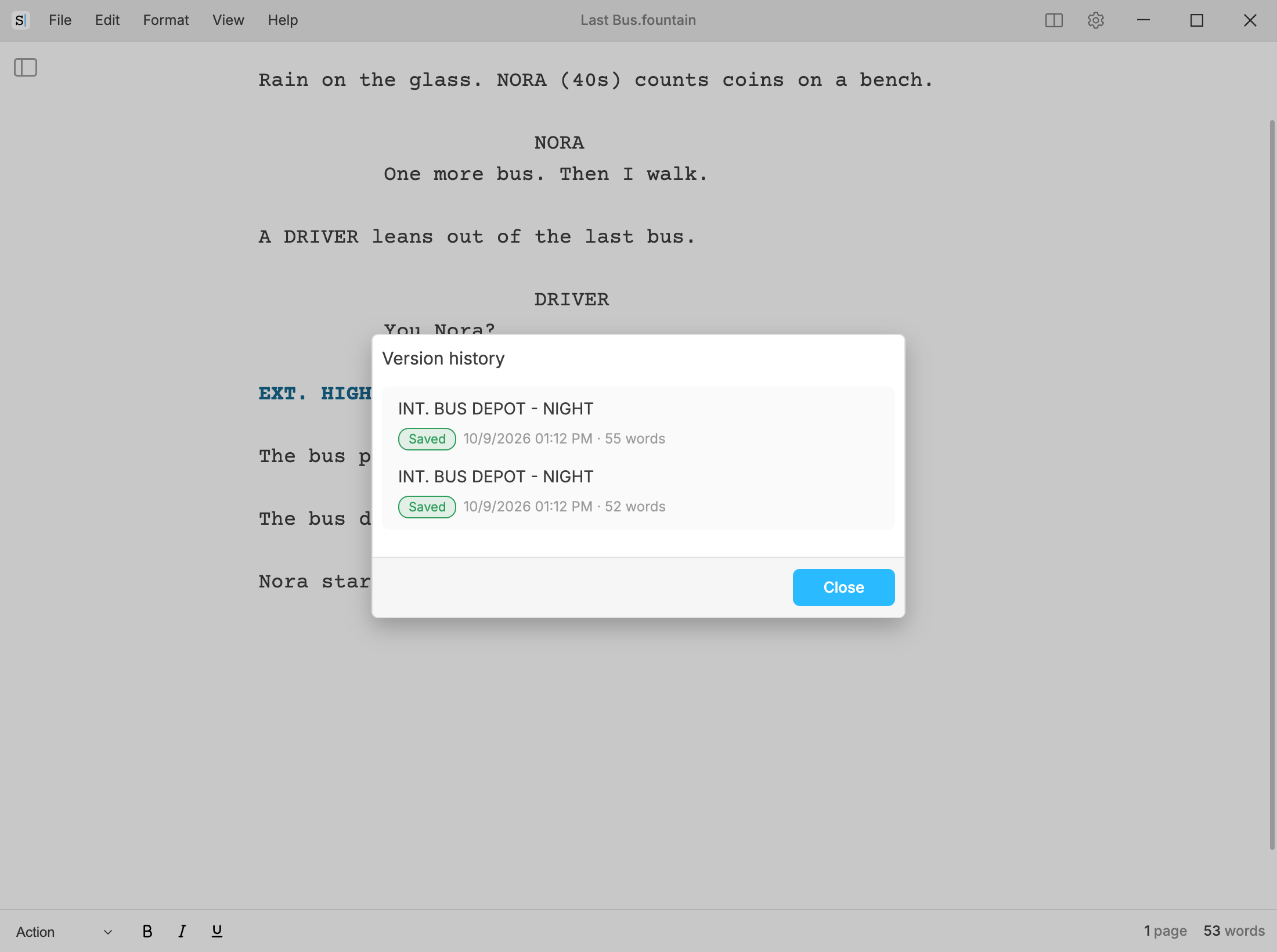
Choose a version and confirm, and it replaces the text in the same screenplay: same file, same window. What was on screen is not lost: it is kept first, in the history, as Before restore, and if that copy cannot be stored, nothing is restored. also takes the restoration back. The restored text is marked as not saved until you save it (or until it saves automatically).
For a screenplay saved to a file, the history keeps up to 30 versions, for up to 30 days; the newest one is always kept, however old.
Backups of closed documents
lists the screenplays you have closed, with when each was closed and how many days it will be kept. Every screenplay you close goes here, saved or not: when you close its window, and when on Android, or puts another in its place. That includes a screenplay you chose not to save when you were asked.
Each is kept for 15 days. Choose one to open it:
- On Windows, macOS and Linux it opens in a new window, as a screenplay of its own (or in this one, if all it holds is a blank page).
- On Android it takes the place of the screenplay on screen, with the same question asks if that one has changes that are not saved.
The copy is not tied to the file it came from, so it never writes over that file: the first save asks where to put it (with automatic saving on, it gets a new file in the default save folder).
Empty trash deletes them all, after asking. It cannot be undone.
Where the copies are
These copies are kept in the app’s own storage on your computer or device, not next to your files. On Windows, macOS and Linux they are not in any cloud, and they are deleted if you uninstall the app.
On Android, if the device backup to your Google account is on and the device has a screen lock, Android includes them in that backup, encrypted end to end so that only you can read it, and puts them back when you reinstall the app or set up a new device. Without a screen lock, or on Android older than 9, they are left out of it and go when you uninstall the app (see the privacy policy).
They are a safety net, not a replacement for saving your screenplay and keeping copies of it.